Introduction to Functions and Restricted Domains
From the Piecewise functions curriculum
TL;DR
Functions are rules that relate inputs to outputs, often represented as equations or graphs. Restricted domains limit the inputs that can be used with a function, impacting its outputs. Understanding these concepts is essential for working with piecewise functions.
1. The Mental Model
Functions take an input and produce an output based on a specific rule. When we restrict the domain, we decide which inputs are valid. This is important for piecewise functions, which operate differently over different segments of their domains.
2. The Core Material
What is a Function?

Photo by Efrem Efre on Pexels
A function is basically a relationship between a set of inputs and a set of possible outputs. Each input has exactly one output. Functions can be written as:
- f(x) = x + 2
- g(t) = t^2
Restricted Domains

Photo by Brett Sayles on Pexels
A restricted domain is when you limit the inputs of a function. For example, if you have a function that includes a square root, you can’t use negative numbers, since the square root of a negative number isn’t defined in the set of real numbers.
Examples of Restrictions
Photo by Brett Sayles on Pexels
- The function h(x) = 1/x is undefined at x = 0.
- The square root function k(x) = √(x) is restricted to x ≥ 0.
Piecewise Functions
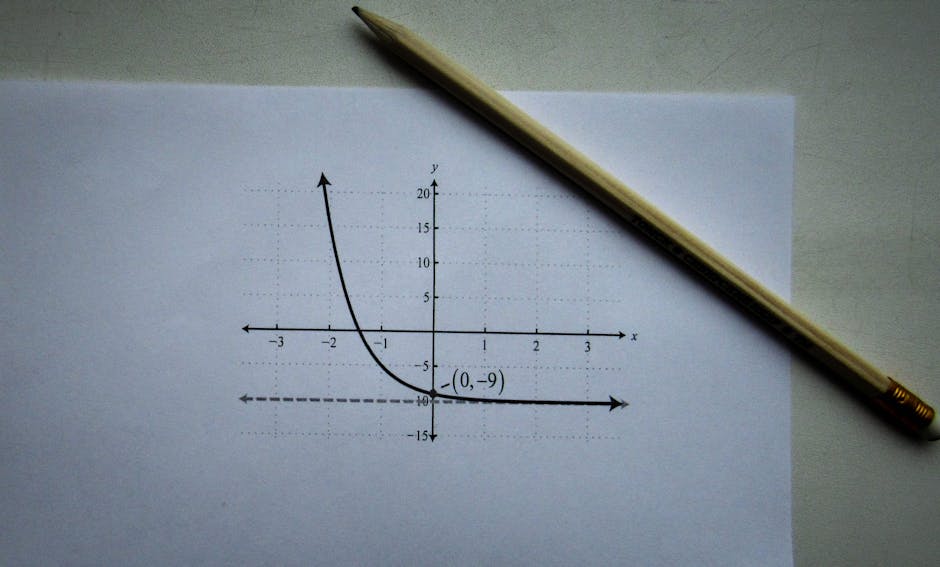
Photo by Sergey Meshkov on Pexels
A piecewise function has different rules (or equations) for different parts of its domain. Here’s a simple representation:
- f(x) = { x + 1, if x < 0
- x^2, if x ≥ 0
Here, you have one rule for values less than 0 and a different rule for values greater than or equal to 0.
flowchart TD
    A["Start (Define a function)"] --> B{"Is it piecewise?"}
    B -- Yes --> C["Identify intervals and rules"]
    C --> D["Write function accordingly"]
    B -- No --> E["Define normally with domain"]
    E --> D
    D --> F["End (Use the function)"]
3. Worked Example
Let's define a piecewise function f(x):
$$ f(x) = \begin{cases} 2x + 3 & \text{if } x < 1 \\ x^2 & \text{if } x \geq 1 \end{cases} $$
Now, let's find f(0) and f(2):
-
For f(0):
- 0 < 1, so use the first rule:
- f(0) = 2(0) + 3 = 3. -
For f(2):
- 2 ≥ 1, so use the second rule:
- f(2) = (2)^2 = 4.
So, f(0) = 3 and f(2) = 4.
4. Key Takeaways
- Functions map inputs to outputs based on a rule.
- Restricted domains limit the valid inputs for a function.
- Piecewise functions have different outputs based on input intervals.
- You must check if an input is within the valid domain before using a function.
- Always be aware of where functions might be undefined.
Common Mistakes to Avoid
- Forgetting to check if the input is within the domain.
- Mixing up the rules of a piecewise function.
- Confusing functions with similar-looking expressions.
- Not simplifying expressions before evaluating them.
5. Now Try It
Define your own piecewise function and identify its domain. For example:
$$ h(x) = \begin{cases} x - 2 & \text{if } x < 0 \\ 3x + 1 & \text{if } x \geq 0 \end{cases} $$
Then, evaluate this function at h(-1) and h(3). Make sure to explicitly state which rule you’re applying for each input. Success looks like correctly identifying the outputs based on the specific rules for the given inputs.
Frequently asked about Introduction to Functions and Restricted Domains
Study this next
Get the full Piecewise functions curriculum
Clone the complete plan to your dashboard for unlimited AI-generated notes, practice quizzes, and a personalised revision schedule.
Save this course free