Introduction to Network Interfaces and Transceivers
From the ITCTA curriculum
TL;DR
Network Interfaces (NIs) are the hardware that allows devices to connect to a network, often found as Network Interface Cards (NICs) or integrated chips. Transceivers are components within or attached to NIs that convert digital signals to physical signals for transmission and vice versa. Together, NIs and transceivers enable your devices to send and receive data over various network mediums like cables or fiber optics.
1. The Mental Model
Think of a Network Interface as a universal translator for your device, allowing it to "speak" the network's language. The transceiver is the specific part of this translator that handles converting your device's internal electrical thoughts into audible speech (signals) and understanding incoming speech back into thoughts.
2. The Core Material
What is a Network Interface (NI)?

Photo by Brett Sayles on Pexels
A Network Interface (NI), most commonly seen as a Network Interface Card (NIC) or integrated directly into a motherboard, is the essential hardware component that connects a computer or other network device to a computer network. Its primary job is to enable the device to communicate with other devices on the network.
NIs handle several critical tasks:
* Physical Layer Functions: They provide the physical connection (e.g., an Ethernet port).
* Data Link Layer Functions: They encapsulate data into frames, handle addressing (MAC addresses), and manage access to the network medium.
* Data Conversion: They prepare data for transmission by converting it into a suitable physical signal, and convert incoming physical signals back into digital data for the device.
What is a Transceiver?
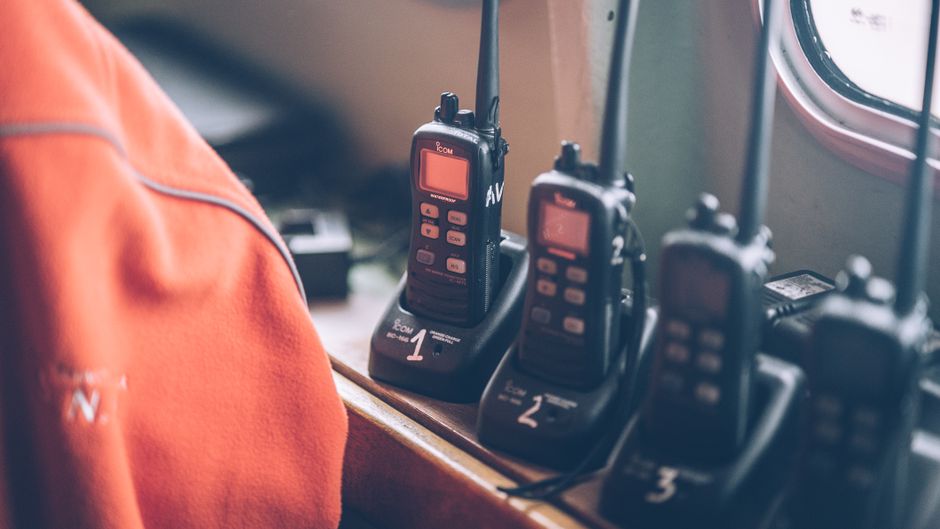
Photo by Grégory Costa on Pexels
A transceiver is a portmanteau of transmitter and receiver. It's a device that both transmits and receives data. In networking, transceivers are often found as a modular component that plugs into a network interface or switch, or they can be integrated directly into a NIC.
Transceivers are responsible for:
* Media Conversion: They convert electrical signals from the NI into optical signals (for fiber optics), radio signals (for wireless), or different electrical signals (for specific copper cabling types) suitable for the network medium.
* Signal Modulation/Demodulation: They encode digital data onto analog waveforms for transmission (modulation) and decode analog waveforms back into digital data upon reception (demodulation).
Different types of transceivers exist for various network media and speeds, such as SFP, SFP+, QSFP, and GBIC.
How NIs and Transceivers Work Together
Photo by Grégory Costa on Pexels
Imagine your computer wants to send data.
- The operating system and applications generate digital data.
- The NI takes this data, packages it into frames, and adds MAC address information.
- The NI then sends these digital electrical signals to its integrated or modular transceiver.
- The transceiver converts these electrical signals into the appropriate physical signals (e.g., light pulses for fiber, electrical pulses for copper) and sends them out onto the network medium.
The process reverses for receiving data:
- The transceiver receives physical signals from the network medium.
- It converts these physical signals back into digital electrical signals.
- The NI receives these signals, checks for errors, unwraps the data frames, and passes the digital data up to the operating system and applications.
graph TD
    A["Computer/Device"] --> B["Network Interface (NIC)"]
    B --> C["Transceiver"]
    C --> D{"Network Medium (Cable, Fiber, Air)"}
    D --> E["Transceiver"]
    E --> F["Network Interface (NIC)"]
    F --> G["Another Computer/Device"]

    subgraph Data Flow (Transmit)
        A -- "Digital Data" --> B
        B -- "Electrical Signals" --> C
        C -- "Physical Signals (Light, Electrical, Radio)" --> D
    end

    subgraph Data Flow (Receive)
        D -- "Physical Signals (Light, Electrical, Radio)" --> E
        E -- "Electrical Signals" --> F
        F -- "Digital Data" --> G
    end
3. Worked Example
Let's say you're connecting your desktop computer to a Gigabit Ethernet switch using a standard Ethernet cable.
Your desktop has a Gigabit Ethernet NIC integrated into its motherboard. This NIC has an RJ-45 port. Inside this NIC is an integrated Ethernet transceiver designed for copper wiring.
When your computer sends data:
1. Your NIC takes the digital data and converts it into specific electrical signals that conform to the Gigabit Ethernet standard for copper cables.
2. The integrated transceiver sends these electrical signals out through the RJ-45 port and along the Ethernet cable.
When your computer receives data:
1. The integrated transceiver receives electrical signals from the Ethernet cable via the RJ-45 port.
2. It converts these signals back into digital data that the NIC can understand.
3. The NIC then processes this data and passes it up to your computer's operating system.
In this common scenario, the NIC and transceiver are usually one integrated unit. However, in enterprise switches or fiber connections, the transceiver might be a separate, modular component like an SFP module, which plugs into the switch port and handles the media conversion.
4. Key Takeaways
- A Network Interface (NI), often a NIC, is the hardware that allows a device to connect to a network.
- NIs handle framing, MAC addressing, and preparing data for physical transmission and reception.
- A transceiver is a component that transmits and receives, primarily converting digital signals to physical signals for the network medium and vice versa.
- Transceivers come in various types (e.g., SFP, QSFP) for different media like copper or fiber optics.
- NIs and transceivers work together to ensure data can be properly sent over and received from the network.
- They operate at the Physical and Data Link layers of the OSI model.
Common mistakes you should avoid:
- Confusing a NIC with a router or switch; a NIC connects a single device to the network, while routers/switches connect multiple devices/networks.
- Thinking all transceivers are modular; many are integrated directly into NICs or network devices.
- Assuming any transceiver will work with any port; transceivers are specific to the network medium, speed, and often the device's compatibility.
- Underestimating the importance of a transceiver matching the network medium (e.g., using a copper transceiver for a fiber link).
5. Now Try It
Research two different types of modular transceivers (e.g., SFP and QSFP). For each type, identify what kind of network medium it uses (copper, multimode fiber, single-mode fiber), common data rates it supports, and a typical use case in a networking environment. Summarize your findings in a short paragraph for each. You should be able to complete this in about 15 minutes using online resources.
Frequently asked about Introduction to Network Interfaces and Transceivers
More from ITCTA
Get the full ITCTA curriculum
Clone the complete plan to your dashboard for unlimited AI-generated notes, practice quizzes, and a personalised revision schedule.
Save this course free