Python Fundamentals for Data Science
From the https://drive.google.com/file/d/1v8TiiWHXUewaNfiJtxFxudPaldVeiZ_q/view curriculum
TL;DR
Python is a versatile programming language that's essential for data science due to its simplicity, extensive libraries, and large community. You'll use it to handle data, perform calculations, create visualizations, and build models. Mastering Python basics is your first step towards becoming a data scientist.
1. The Mental Model
Think of Python as a powerful calculator and a helpful assistant. It can perform complex math operations, store information efficiently, and automate repetitive tasks, making your data analysis much smoother.
2. The Core Material
Python's Role in Data Science
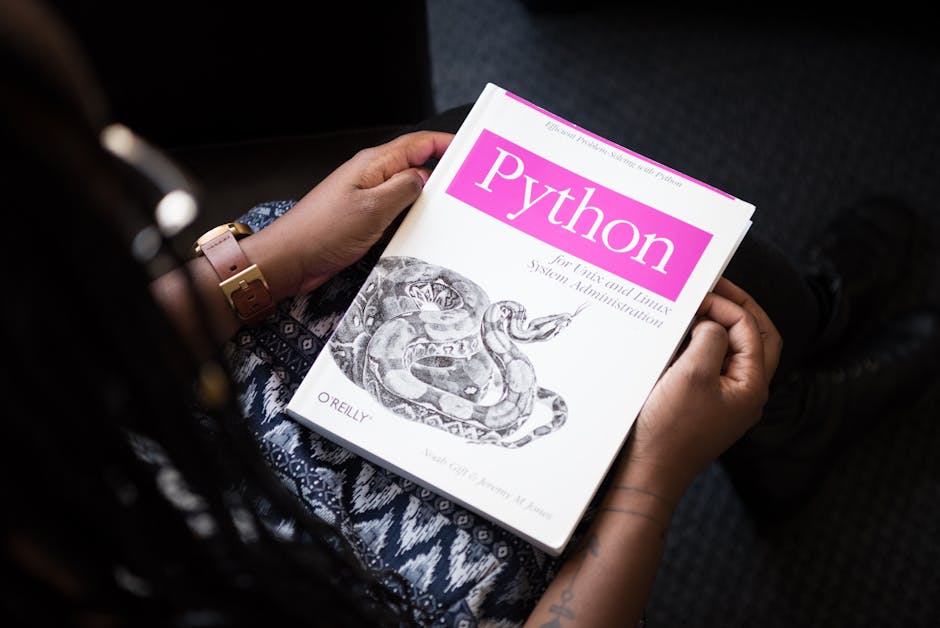
Photo by Christina Morillo on Pexels
Python isn't just a general-purpose language; it's a data science powerhouse. It excels at data manipulation, statistical analysis, machine learning, and visualization thanks to its rich ecosystem of libraries.
Basic Data Types

Photo by Syirwan Ainu on Pexels
You'll work with several fundamental data types in Python:
- Numbers: Integers (
int) like5and floating-point numbers (float) like3.14. - Strings: Text data, enclosed in single or double quotes, e.g.,
"Hello"or'Data Science'. - Booleans: True/False values, essential for logic and comparisons.
TrueorFalse. - Lists: Ordered, changeable collections of items.
[1, 2, 'apple']. - Tuples: Ordered, unchangeable collections of items.
(1, 2, 'banana'). - Dictionaries: Unordered, changeable collections of key-value pairs.
{'name': 'Alice', 'age': 30}.
Variables and Assignment

Photo by Markus Spiske on Pexels
Variables are like labels you attach to data. You assign values to them using the = operator.
# Assigning values to variables
age = 25
name = "Charlie"
is_student = True
Operators
You'll use operators for calculations and comparisons:
- Arithmetic:
+,-,*,/,%(modulo),**(exponentiation). - Comparison:
==(equal to),!=(not equal),<,>,<=,>=. These returnTrueorFalse. - Logical:
and,or,notfor combining conditions.
Control Flow

Photo by Guy Dwelly on Pexels
Control flow statements allow your code to make decisions and repeat actions.
-
if,elif,else: For conditional execution.python score = 85 if score >= 90: print("Excellent!") elif score >= 70: print("Good.") else: print("Needs improvement.") -
forloops: To iterate over a sequence (like a list) or a range.```python
fruits = ["apple", "banana", "cherry"]
for fruit in fruits:
print(fruit)for i in range(3): # iterates 0, 1, 2
print(i)
``` -
whileloops: To repeat a block of code as long as a condition is true.python count = 0 while count < 3: print(f"Count: {count}") count += 1
Functions
Functions are reusable blocks of code that perform a specific task. They help organize your code and avoid repetition.
def greet(person_name):
    """This function greets the person passed in as an argument."""
    return f"Hello, {person_name}!"

message = greet("Alice")
print(message) # Output: Hello, Alice!
Core Libraries for Data Science
You'll frequently use these:
- NumPy: For numerical operations, especially with arrays (like super-charged lists for numbers).
- Pandas: For data manipulation and analysis, using DataFrames (think of them as powerful spreadsheets).
- Matplotlib/Seaborn: For data visualization.
Here's a look at how these core concepts often fit together in a data science workflow:
graph TD
    A["Problem Definition"] --> B["Data Collection"];
    B --> C["Data Cleaning/Preprocessing"];
    C --> D["Exploratory Data Analysis (EDA)"];
    D --> E{"Model Training?"};
    E -- "Yes" --> F["Model Selection & Training"];
    E -- "No" --> G["Visualization/Reporting"];
    F --> H["Model Evaluation"];
    H --> I{"Satisfactory?"};
    I -- "No" --> F;
    I -- "Yes" --> G;
    G --> J["Deployment/Communication"];
3. Worked Example
Let's say you have a small dataset of student scores and you want to calculate the average, identify high scores, and store them.
# 1. Define data
student_scores = {
    "Alice": 88,
    "Bob": 72,
    "Charlie": 95,
    "David": 60,
    "Eve": 78
}

# 2. Calculate average score
total_score = 0
num_students = 0
for student, score in student_scores.items():
    total_score += score
    num_students += 1

average_score = total_score / num_students
print(f"Average score: {average_score:.2f}") # Output: Average score: 78.60

# 3. Identify students with high scores (e.g., > 80)
high_achievers = []
for student, score in student_scores.items():
    if score > 80:
        high_achievers.append((student, score)) # Store as a tuple

print("High achievers:")
for student, score in high_achievers:
    print(f"- {student}: {score}")

# Expected output:
# High achievers:
# - Alice: 88
# - Charlie: 95
In this example, you used a dictionary to store data, a for loop to iterate, arithmetic operators for calculation, and an if statement for conditional logic.
4. Key Takeaways
- Python's core strengths for data science are its simplicity, readability, and extensive libraries.
- You'll frequently use basic data types like numbers, strings, lists, tuples, and dictionaries to represent your data.
- Variables store data, while operators perform calculations and comparisons.
- Control flow (
if/elif/else,forloops,whileloops) allows your code to make decisions and automate tasks. - Functions help you organize code into reusable blocks, making it cleaner and easier to maintain.
-
Essential libraries like NumPy, Pandas, and Matplotlib/Seaborn are your daily tools for data manipulation, analysis, and visualization.
-
Common Mistakes:
- Forgetting to indent code properly, which leads to
IndentationErrorin Python. - Mixing up assignment (
=) with comparison (==). - Not understanding the difference between mutable (lists, dicts) and immutable (tuples, strings) data types when passing them around.
- Trying to use a variable before it has been assigned a value.
- Not breaking down complex problems into smaller, manageable functions.
- Forgetting to indent code properly, which leads to
5. Now Try It
Create a Python script that asks the user for three different numbers. Store these numbers in a list. Then, calculate and print their sum, product, and average. Finally, use an if statement to check if the sum is greater than 100 and print an appropriate message.
What success looks like: Your script runs without errors, takes three number inputs, correctly calculates and displays the sum, product, and average, and provides a message based on whether the sum exceeds 100.
Frequently asked about Python Fundamentals for Data Science
Study this next
Get the full https://drive.google.com/file/d/1v8TiiWHXUewaNfiJtxFxudPaldVeiZ_q/view curriculum
Clone the complete plan to your dashboard for unlimited AI-generated notes, practice quizzes, and a personalised revision schedule.
Save this course free