Number Systems and Conversions
From the Computer Science & Coding (ICT) curriculum
Number Systems and Conversions
TL;DR
Computers use binary (base-2) for everything, while we primarily use decimal (base-10). Understanding number systems like binary, octal, and hexadecimal is crucial for knowing how computers store and process data. You'll learn to convert between these systems to work effectively with low-level computing concepts.
1. The Mental Model
Think of number systems as different ways to count and represent quantities. Just like you can say "one apple," "un pomme," or "ein Apfel," these are all different names for the same thing. Number systems are just different "languages" for numbers, each with its own set of symbols and rules.
2. The Core Material
You're used to the decimal system (base-10), which uses ten unique digits (0-9). Each digit's position indicates a power of 10. For example, 123 means (1 * 10^2) + (2 * 10^1) + (3 * 10^0).
Computers don't work with ten digits; they use binary (base-2), which only has two digits: 0 and 1. This is because computers operate on electrical signals being either "on" or "off." Each binary digit is called a bit.
Other common number systems in computing are octal (base-8, digits 0-7) and hexadecimal (base-16, digits 0-9 and A-F, where A=10, B=11, etc.). These are often used as shorthand for binary numbers because they're easier for humans to read and write.
Converting from Other Bases to Decimal
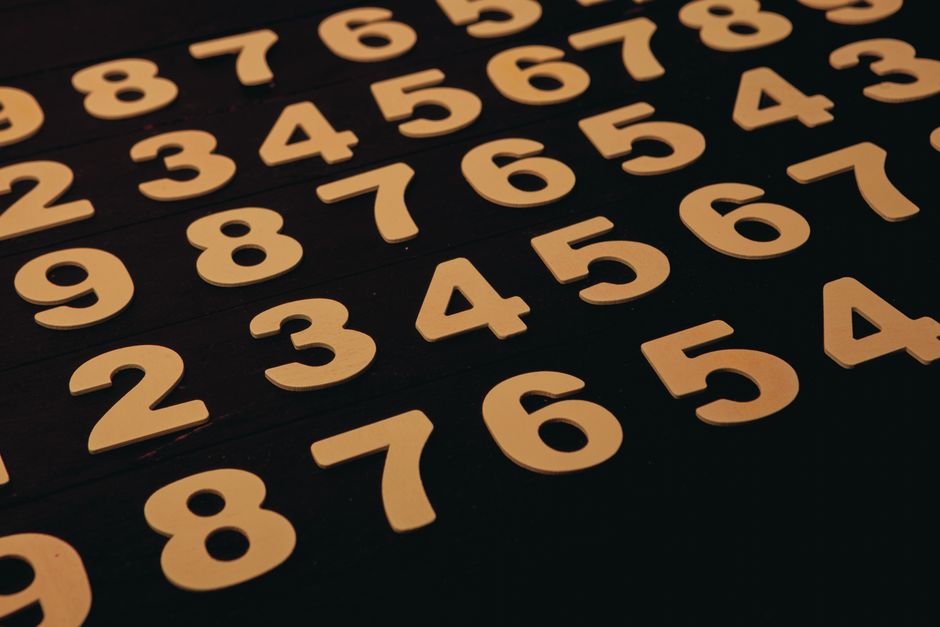
Photo by Roman Friptuleac on Pexels
To convert any number from base-X to decimal (base-10), you multiply each digit by X raised to the power of its position, starting from 0 for the rightmost digit, and then sum the results.
Example: Binary to Decimal
Let's convert 1011_2 to decimal:
1011_2 = (1 * 2^3) + (0 * 2^2) + (1 * 2^1) + (1 * 2^0)
= (1 * 8) + (0 * 4) + (1 * 2) + (1 * 1)
= 8 + 0 + 2 + 1
= 11_10
Example: Hexadecimal to Decimal
Let's convert 2AF_16 to decimal:
2AF_16 = (2 * 16^2) + (A * 16^1) + (F * 16^0)
= (2 * 256) + (10 * 16) + (15 * 1)
= 512 + 160 + 15
= 687_10
Converting from Decimal to Other Bases
Photo by Roman Friptuleac on Pexels
To convert a decimal number to another base (like binary, octal, or hexadecimal), you use repeated division. Divide the decimal number by the target base, note the remainder, and then repeat with the quotient. The result is read from the last remainder up to the first.
Example: Decimal to Binary
Let's convert 13_10 to binary:
1. 13 / 2 = 6 remainder 1
2. 6 / 2 = 3 remainder 0
3. 3 / 2 = 1 remainder 1
4. 1 / 2 = 0 remainder 1
Reading remainders from bottom up: 1101_2
Example: Decimal to Hexadecimal
Let's convert 250_10 to hexadecimal:
1. 250 / 16 = 15 remainder 10 (which is A in hex)
2. 15 / 16 = 0 remainder 15 (which is F in hex)
Reading remainders from bottom up: FA_16
Relationship Between Binary, Octal, and Hexadecimal

Photo by Google DeepMind on Pexels
Octal and hexadecimal are particularly useful because they easily map to binary.
* One octal digit represents exactly three binary digits (since 2^3 = 8).
* One hexadecimal digit represents exactly four binary digits (since 2^4 = 16).
This makes conversion between them very straightforward:
To convert binary to octal, group binary digits into sets of three from right to left, then convert each group to its octal equivalent.
To convert binary to hexadecimal, group binary digits into sets of four from right to left, then convert each group to its hex equivalent.
graph LR
    A["Decimal (Base-10)"] --> B["Binary (Base-2)"]
    A --> C["Octal (Base-8)"]
    A --> D["Hexadecimal (Base-16)"]

    B -- "Group by 3 bits" --> C
    B -- "Group by 4 bits" --> D

    C -- "Each Octal digit" --> B
    D -- "Each Hex digit" --> B

    C -- "Convert to Decimal" --> A
    D -- "Convert to Decimal" --> A
    B -- "Convert to Decimal" --> A
Python for Conversions
Photo by Maicon Vinicius on Pexels
Python has built-in functions for these conversions, which can help you check your work!
# Decimal to Binary
print(bin(13))  # Output: 0b1101 (0b prefix indicates binary)

# Decimal to Octal
print(oct(250)) # Output: 0o372 (0o prefix indicates octal)

# Decimal to Hexadecimal
print(hex(250)) # Output: 0xfa (0x prefix indicates hexadecimal)

# Binary string to Decimal integer
print(int("1101", 2)) # Output: 13

# Octal string to Decimal integer
print(int("372", 8))  # Output: 250

# Hexadecimal string to Decimal integer
print(int("FA", 16))  # Output: 250
3. Worked Example
Let's convert the binary number 11010110_2 to decimal, then to hexadecimal, and finally back to binary using hex.
-
Binary to Decimal:
11010110_2
= (1 * 2^7) + (1 * 2^6) + (0 * 2^5) + (1 * 2^4) + (0 * 2^3) + (1 * 2^2) + (1 * 2^1) + (0 * 2^0)
= (1 * 128) + (1 * 64) + (0 * 32) + (1 * 16) + (0 * 8) + (1 * 4) + (1 * 2) + (0 * 1)
= 128 + 64 + 0 + 16 + 0 + 4 + 2 + 0
=214_10 -
Binary to Hexadecimal:
Group11010110_2into 4-bit chunks from right to left:
11010110
Convert each chunk:
1101_2= (18) + (14) + (02) + (11) = 8+4+0+1 =13_10which isD_16
0110_2= (08) + (14) + (12) + (01) = 0+4+2+0 =6_10
So,11010110_2=D6_16 -
Hexadecimal to Binary (to check):
Convert each hex digit back to 4-bit binary:
D_16=1101_2
6_16=0110_2
Combine them:11010110_2. This matches our original binary number!
4. Key Takeaways
- Decimal (base-10) uses 0-9; Binary (base-2) uses 0-1; Octal (base-8) uses 0-7; Hexadecimal (base-16) uses 0-9 and A-F.
- To convert from any base to decimal, multiply each digit by its base raised to its position power and sum.
- To convert from decimal to another base, use repeated division by the target base, collecting remainders from bottom to top.
- Octal digits represent 3 binary bits, and hexadecimal digits represent 4 binary bits, making conversions between them simple.
- Computers fundamentally store and process information in binary, making understanding binary essential.
- Hexadecimal is often used in programming to represent large binary numbers concisely.
Common Mistakes to Avoid
- Forgetting to convert letters (A-F) to their decimal equivalents (10-15) when working with hexadecimal.
- Reading remainders from top-to-bottom instead of bottom-to-top during decimal-to-other-base conversions.
- Mixing up the base (e.g., treating a binary number as a decimal one by accident).
- Incorrectly grouping bits (e.g., 3 bits for hex or 4 bits for octal) when converting between binary, octal, and hex.
5. Now Try It
Convert the decimal number 173_10 to binary, octal, and hexadecimal. Then, verify your answers using Python's built-in functions (bin(), oct(), hex()). What does success look like? You should have 10101101_2, 255_8, and AD_16 as your results.
Frequently asked about Number Systems and Conversions
Study this next
Get the full Computer Science & Coding (ICT) curriculum
Clone the complete plan to your dashboard for unlimited AI-generated notes, practice quizzes, and a personalised revision schedule.
Create Free Account