Data Representation and Arithmetic
From the Computer Organisation and Architecture curriculum
TL;DR
Computers use binary (0s and 1s) to represent all types of data, from numbers to text and images. Understanding how data is represented, especially numbers, is crucial for predicting program behavior and avoiding errors. Binary arithmetic follows rules similar to decimal arithmetic, but with only two digits.
1. The Mental Model
Think of your computer as a super-fast accountant who only knows two symbols: 0 and 1. Everything you show it – numbers, letters, pictures – must first be translated into long sequences of these two symbols so it can process them.
2. The Core Material
Computers store and process information using electrical signals, which are either "on" or "off." We map these states to 1 and 0 respectively. This is why everything inside a computer is ultimately represented in binary.
Number Systems: Binary, Decimal, Hexadecimal
Photo by Ron Lach on Pexels
We're used to the decimal (base-10) system, using digits 0-9. Each digit's position indicates a power of 10. For example, 123 is 1*10^2 + 2*10^1 + 3*10^0.
Binary (base-2) uses only digits 0 and 1. Each digit's position indicates a power of 2. For example, 1011_2 is 1*2^3 + 0*2^2 + 1*2^1 + 1*2^0 = 8 + 0 + 2 + 1 = 11_10.
Hexadecimal (base-16) uses digits 0-9 and letters A-F (where A=10, B=11, ..., F=15). It's a shorthand for binary because every 4 binary digits (a "nibble") can be represented by one hex digit. This makes long binary strings much easier for humans to read. For example, 1111_2 is F_16, and 1010_2 is A_16.
Here's how these relate:
graph TD
    Decimal["Decimal (Base-10)"] --> Binary["Binary (Base-2)"]
    Binary --> Hexadecimal["Hexadecimal (Base-16)"]
    Hexadecimal --> Binary
Representing Signed Integers
Photo by Google DeepMind on Pexels
How do we represent negative numbers? There are a few ways, but the most common one used in modern computers is Two's Complement.
- Sign-Magnitude: The leftmost bit (Most Significant Bit or MSB) indicates the sign (0 for positive, 1 for negative), and the remaining bits represent the magnitude. This method has issues like having two representations for zero (+0 and -0).
- One's Complement: To get the negative of a number, you flip all the bits (0s become 1s, 1s become 0s). This also has two zeros.
-
Two's Complement: This is the standard. To find the two's complement of a number:
- Start with the positive binary representation.
- Flip all the bits (one's complement).
- Add
1to the result.
For an 8-bit system:
*5_10is00000101_2
* Flip bits:11111010_2(One's Complement)
* Add 1:11111011_2(Two's Complement of -5)The beauty of two's complement is that arithmetic works correctly whether numbers are positive or negative, and there's only one representation for zero. The MSB still indicates the sign (0 for positive, 1 for negative).
Floating-Point Representation

Photo by Google DeepMind on Pexels
For numbers with decimal points (like 3.14159), computers use floating-point representation, typically following the IEEE 754 standard. This is similar to scientific notation (1.23 x 10^5). A floating-point number is represented by:
* A sign bit (S): 0 for positive, 1 for negative.
* An exponent (E): Determines the magnitude (how big or small the number is).
* A mantissa or significand (M): Represents the precision bits of the number.
This allows for a wide range of values, but introduces potential for precision errors because not all decimal numbers can be represented exactly in binary.
Binary Arithmetic
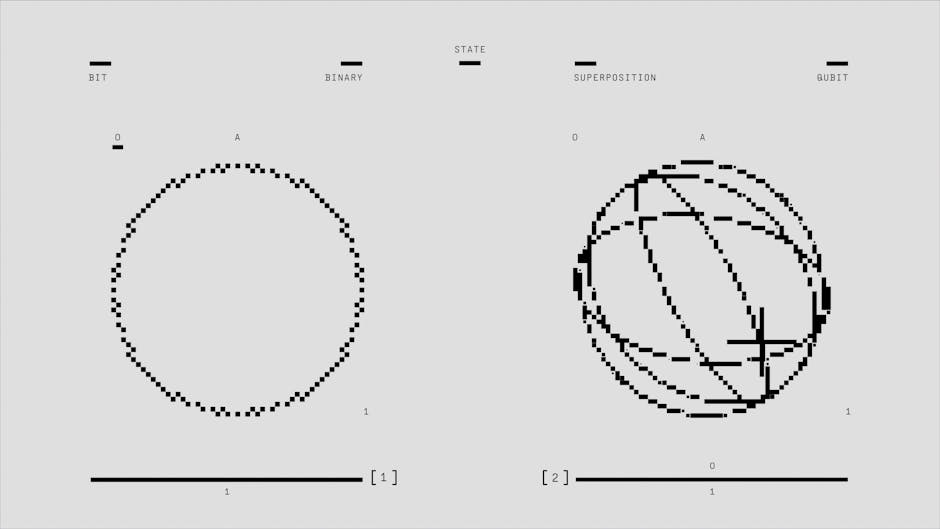
Photo by Google DeepMind on Pexels
Binary addition is like decimal addition, but when you add 1 + 1, the result is 0 with a carry-over of 1.
0 + 0 = 00 + 1 = 11 + 0 = 11 + 1 = 0(carry 1)1 + 1 + 1 = 1(carry 1)
Example (4-bit binary addition):
0011 (3)
+ 0010 (2)
-------
0101 (5)
Subtraction is often performed using two's complement addition: A - B becomes A + (-B).
Multiplication and Division are more complex but are ultimately based on repeated addition/subtraction and bit shifts.
3. Worked Example
Let's add 5 and -3 using 4-bit two's complement representation.
-
Represent 5:
5_10is0101_2
-
Represent -3:
- Start with
3_10:0011_2 - Flip bits (One's Complement):
1100_2 - Add 1 (Two's Complement):
1101_2
- Start with
-
Perform addition:
```
0101 (5)+ 1101 (-3)
(1)0010 (2)
`` Notice the(1)carry-out from the leftmost bit. In a 4-bit system, this carry-out is ignored. The result0010_2is2_10, which is correct (5 + (-3) = 2`).
4. Key Takeaways
- All data in a computer is fundamentally stored and processed in binary (0s and 1s).
- Hexadecimal is a convenient shorthand for binary, making long binary strings easier to read.
- Two's Complement is the standard way to represent signed integers, simplifying arithmetic and avoiding dual zeros.
- Floating-point numbers use a different representation (sign, exponent, mantissa) to handle real numbers, but can introduce precision issues.
- Binary addition involves carrying over when the sum of bits is greater than 1.
- Binary subtraction is usually performed by adding the two's complement of the subtrahend.
Common Mistakes to Avoid:
* Mixing up positive and negative representations when doing two's complement manually.
* Forgetting to add 1 after flipping bits when calculating two's complement.
* Assuming floating-point numbers are always perfectly accurate; they have limited precision.
* Not understanding bit limits; e.g., an 8-bit integer can only hold values from -128 to 127 (signed) or 0 to 255 (unsigned).
5. Now Try It
Represent the decimal number -10 in an 8-bit two's complement system. Then, perform the addition (-10) + 7 using 8-bit two's complement binary arithmetic. What is the binary result, and what decimal number does it represent?
Success looks like: You have the correct 8-bit binary representation for -10, you've performed the binary addition step-by-step, and you correctly interpret the final 8-bit binary result back into decimal.
Frequently asked about Data Representation and Arithmetic
More from Computer Organisation and Architecture
Get the full Computer Organisation and Architecture curriculum
Clone the complete plan to your dashboard for unlimited AI-generated notes, practice quizzes, and a personalised revision schedule.
Save this course free