Aplikasi Teknologi
From the RBT Tingkatan 3 curriculum
TL;DR
Aplikasi Teknologi covers how we use technology to solve problems and create useful products. It involves understanding design principles, material selection, and basic electronics, often leading to tangible outcomes like smart products. This topic helps you develop practical skills in problem-solving and innovation through project-based learning.
1. The Mental Model
Think of it like being an inventor! You identify a problem, then use available tools, materials, and knowledge (like how electricity works or how to shape wood) to build something that fixes it. It's about turning ideas into reality, step-by-step.
2. The Core Material
Aplikasi Teknologi in RBT Tingkatan 3 focuses on using various technological fields to create innovative products. Let's break down the key areas:
2.1 Reka Bentuk Mekanikal (Mechanical Design)
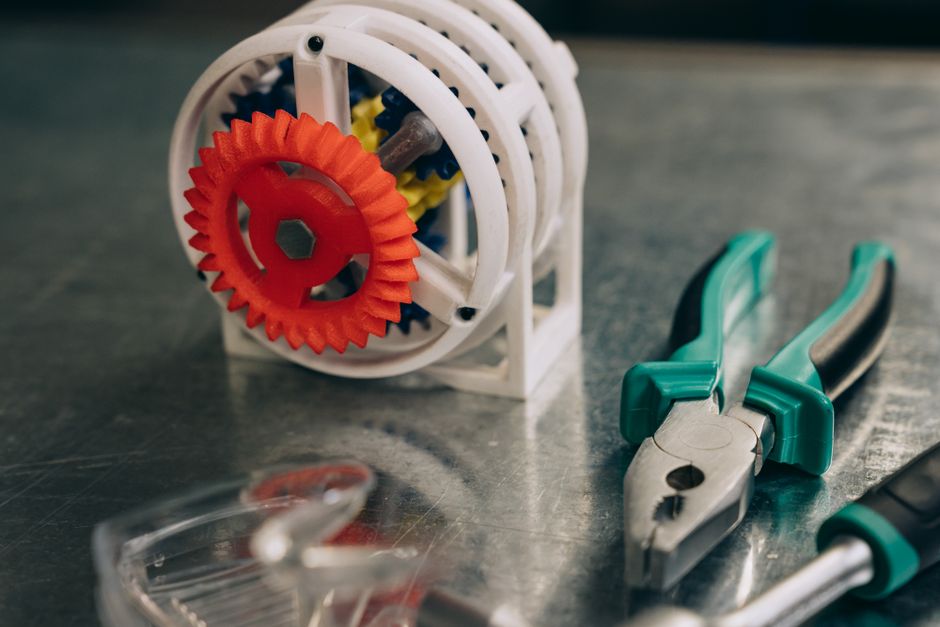
Photo by Mikhail Nilov on Pexels
This is about creating things that move or have specific physical structures. You'll learn about:
* Sistem dan Komponen Mekanikal: Parts like gears, levers, pulleys, and shafts that transmit or change motion.
* Fungsi dan Prinsip Operasi: How these components work together. For example, a gear train can increase speed or torque.
* Aplikasi: From bicycles to industrial machines, mechanical design is everywhere.
2.2 Reka Bentuk Elektrik (Electrical Design)

Photo by Michael on Pexels
This deals with circuits and how electricity flows. You'll explore:
* Komponen Elektrik: Resistors, capacitors, LEDs, switches, motors, sensors.
* Litar Elektrik: How to connect these components to make a functional circuit. We're talking about series and parallel circuits, and basic control systems.
* Fungsi dan Prinsip Operasi: Understanding voltage, current, and resistance (Ohm's Law!).
* Sumber Tenaga Elektrik: Batteries, power adapters.
2.3 Reka Bentuk Elektronik (Electronic Design)
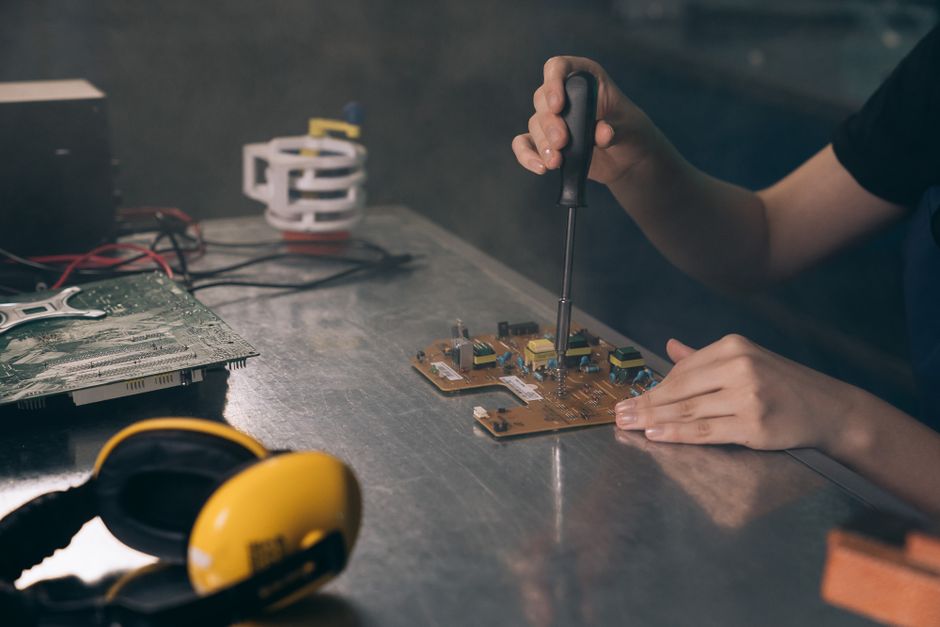
Photo by Mikhail Nilov on Pexels
This goes a step further than basic electricity, focusing on control and processing information using tiny components.
* Komponen Elektronik: Microcontrollers (like Arduino/ESP32 if you've heard of them), integrated circuits, transistors.
* Pengaturcaraan (Programming): Often, electronic designs need programming to tell them what to do. This could be simple code to blink an LED or more complex logic for a smart device.
* Fungsi dan Prinsip Operasi: How these components can process inputs (from sensors) and control outputs (like motors or lights).
2.4 Reka Bentuk Mechatronik (Mechatronic Design)

Photo by Pavel Danilyuk on Pexels
This is where mechanical, electrical, and electronic designs merge!
* Penggabungan: It's about creating "smart" mechanical systems. Imagine a robot arm – it has mechanical parts, electric motors, and an electronic brain (microcontroller) that tells it what to do.
* Sistem Kawalan (Control Systems): How sensors provide input, the controller processes it, and actuators (like motors) perform an action. This forms a feedback loop.
* Contoh Produk: Automatic gates, smart robots, vending machines.
Here's a simplified flow of how you might approach a mechatronic project:
graph TD
    A["Kenal Pasti Masalah"] --> B["Analisis & Reka Bentuk"]
    B --> C1["Pilih Komponen Mekanikal"]
    B --> C2["Pilih Komponen Elektrik"]
    B --> C3["Pilih Komponen Elektronik"]
    C1 --> D["Bina Bahagian Mekanikal"]
    C2 --> D
    C3 --> E["Program Pengawal Elektronik"]
    D --> F["Integrasi Komponen"]
    E --> F
    F --> G["Uji & Nilai Produk"]
    G --> H{"Adakah Berfungsi?"}
    H -- "Ya" --> I["Produk Akhir"]
    H -- "Tidak" --> A
2.5 Pembuatan Produk (Product Manufacturing)
Once you've designed your product, you need to build it.
* Bahan: Selecting appropriate materials (wood, plastic, metal, PCB).
* Kaedah Pembuatan: Cutting, drilling, joining (soldering, gluing, screwing), 3D printing, etc.
* Kemasan: Painting, varnishing, polishing for aesthetics and protection.
3. Worked Example
Let's say you want to build a "Smart Watering System" for a small plant.
Problem: You often forget to water your plant, and it dries out.
Solution Idea: A system that detects when the soil is dry and automatically waters the plant.
- Reka Bentuk Mekanikal:
- Components: A small water pump, tubing to direct water, a water reservoir.
- Function: The pump moves water from the reservoir to the plant.
- Reka Bentuk Elektrik:
- Components: DC power supply (battery or adapter) for the pump and electronics, wiring.
- Function: Provides power to all parts of the system.
- Reka Bentuk Elektronik (and Mechatronic Integration):
- Components: A soil moisture sensor (input), a microcontroller (e.g., Arduino Nano, as the "brain"), a relay or transistor to control the pump (output).
- Function:
- The soil moisture sensor detects the moisture level in the soil.
- The microcontroller reads this data.
- If the moisture level is below a certain threshold (meaning the soil is dry), the microcontroller sends a signal to the relay.
- The relay acts as an electronic switch, turning on the water pump.
- The pump runs for a short period (e.g., 5 seconds) to water the plant.
- The microcontroller then turns off the pump via the relay and continues to monitor the soil moisture.
-
Pengaturcaraan (Simplified Logic):
```cpp
void setup() {
// Set up pump pin as output
// Set up sensor pin as input
}void loop() {
// Read soil moisture sensor value
// If sensor value < dry_threshold:
// Turn pump ON
// Delay for 5 seconds
// Turn pump OFF
// Wait for a while before checking again (e.g., 1 hour)
}
```
4. Pembuatan Produk:
* Assemble the mechanical parts (pump, tubing, reservoir).
* Wire the electrical components (power supply, pump, relay, microcontroller, sensor).
* Mount everything on a base or inside an enclosure.
* Upload the code to the microcontroller.
* Test and calibrate the moisture threshold.
4. Key Takeaways
- Aplikasi Teknologi combines mechanical, electrical, and electronic knowledge to create useful products.
- Mechatronics is the integration of these fields, focusing on smart systems with control capabilities.
- Projects often involve sensors (inputs), microcontrollers (processing), and actuators (outputs like motors).
- Programming is crucial for telling electronic brains what to do in mechatronic systems.
- The design process includes identifying problems, designing solutions, selecting materials, and manufacturing.
Common Mistakes to Avoid:
- Ignoring safety: Always handle tools and electricity carefully.
- Not planning: Jumping straight into building without a clear design can lead to rework.
- Over-complicating: Start with a simple solution, then add features.
- Poor wiring/connections: Loose wires or incorrect polarity can cause circuits to fail or short-circuit.
5. Now Try It
Think of a common problem you face at home or school that could be solved by a simple "smart" device. It doesn't have to be complex! For example, a device that reminds you to close your window if it rains, or a simple automated pet feeder.
What to do:
1. Identify the problem clearly.
2. Brainstorm a simple solution using basic technology (e.g., a sensor, a light, a buzzer).
3. Sketch out a basic design for your proposed device, labelling any mechanical, electrical, or electronic parts you imagine it would need. You don't need detailed circuits, just the main components.
What success looks like: You'll have a clear problem statement and a simple, plausible concept sketch that shows you're thinking about how different technologies (mechanical, electrical, electronic) could work together to solve it.
Frequently asked about Aplikasi Teknologi
Study this next
Get the full RBT Tingkatan 3 curriculum
Clone the complete plan to your dashboard for unlimited AI-generated notes, practice quizzes, and a personalised revision schedule.
Save this course free