Trees & Heaps
From the Data Structures and Algorithms curriculum
TL;DR
Trees are hierarchical data structures where each node can have child nodes, useful for representing relationships like file systems or organizational charts. Heaps are specialized trees (binary trees) that maintain a specific ordering property, making them super efficient for finding the minimum or maximum element quickly. Understanding these helps you pick the right data structure for organizing data and optimizing searches or priority queues.
1. The Mental Model
Think of a tree like an upside-down family tree, starting from a single ancestor at the top (the root) and branching down to descendants. A heap is like a special tree where every "parent" is always "older" (or "younger") than its "children," making it easy to find the oldest (or youngest) member fast.
2. The Core Material
Trees: The Basics

Photo by The Wizard of OZ on Pexels
A Tree is a non-linear data structure that organizes data hierarchically. It consists of nodes (data elements) and edges (links between nodes).
- Root: The topmost node in the tree. A tree has only one root.
- Child: A node directly connected to another node when moving away from the root.
- Parent: The converse of a child; the node directly above it.
- Siblings: Nodes that share the same parent.
- Leaf: A node with no children.
- Subtree: A portion of a tree that can itself be considered a complete tree.
- Depth: The length of the path from the root to a node. The root has depth 0.
- Height: The length of the longest path from a node to a leaf. The height of a tree is the height of its root.
Trees are incredibly versatile. You've encountered them in file systems (directories and files), organizational charts, and even HTML DOM structures.
graph TD
    A["Root Node"] --> B["Child 1"]
    A --> C["Child 2"]
    B --> D["Grandchild 1"]
    B --> E["Grandchild 2 (Leaf)"]
    C --> F["Grandchild 3 (Leaf)"]
    D --> G["Great-Grandchild 1 (Leaf)"]

    subgraph Tree Terminology
        A --- "Parent of B, C"
        B --- "Child of A"
        C --- "Sibling of B"
        E --- "Leaf Node"
        G --- "Depth 3"
    end
Binary Trees
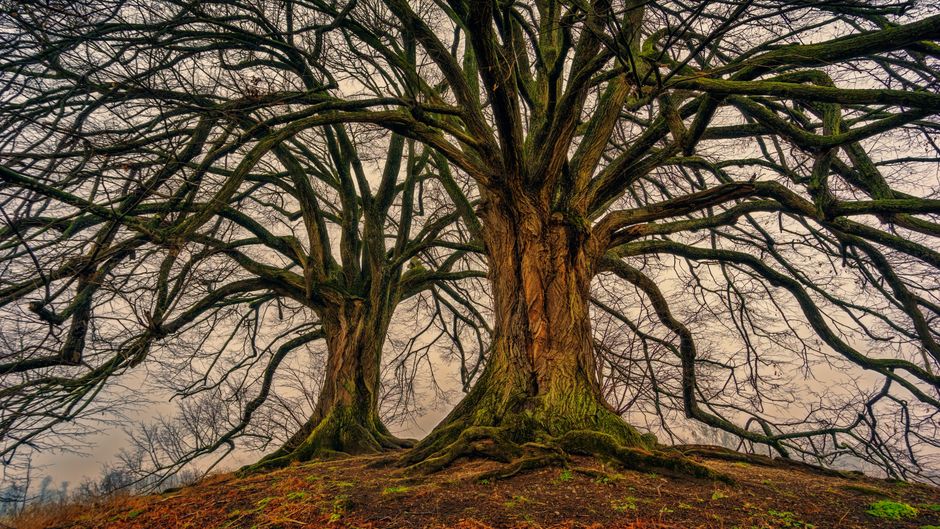
Photo by Johannes Plenio on Pexels
A special type of tree is a Binary Tree, where each node can have at most two children, typically referred to as the "left child" and the "right child."
Binary Search Trees (BSTs)
Photo by Johannes Plenio on Pexels
A Binary Search Tree is a binary tree with an additional property: for every node, all values in its left subtree are less than the node's value, and all values in its right subtree are greater than the node's value. This property makes searching, insertion, and deletion very efficient (on average, O(log n)).
class TreeNode:
    def __init__(self, key):
        self.key = key
        self.left = None
        self.right = None

def insert_bst(root, key):
    if root is None:
        return TreeNode(key)
    if key < root.key:
        root.left = insert_bst(root.left, key)
    else:
        root.right = insert_bst(root.right, key)
    return root

def search_bst(root, key):
    if root is None or root.key == key:
        return root
    if key < root.key:
        return search_bst(root.left, key)
    else:
        return search_bst(root.right, key)

# Example Usage:
# root = None
# root = insert_bst(root, 50)
# insert_bst(root, 30)
# insert_bst(root, 20)
# insert_bst(root, 40)
# print(search_bst(root, 40).key) # Output: 40
Heaps: Specialized Trees
Photo by Samet Kaplan 🇹🇷 on Pexels
A Heap is a complete binary tree (meaning all levels are fully filled except possibly the last, and the last level's nodes are as far left as possible) that satisfies the heap property.
There are two main types of heaps:
- Min-Heap: For every node
N, the value ofNis less than or equal to the values of its children. The smallest element is always at the root. - Max-Heap: For every node
N, the value ofNis greater than or equal to the values of its children. The largest element is always at the root.
Heaps are often implemented using arrays because of their complete binary tree property, which allows for efficient mapping of child/parent indices.
- For a node at index
i:- Left child:
2*i + 1 - Right child:
2*i + 2 - Parent:
(i - 1) // 2
- Left child:
Heaps are excellent for implementing priority queues, where you always want to efficiently retrieve the highest or lowest priority item.
3. Worked Example
Let's build a Min-Heap from a list of numbers [10, 4, 15, 20, 5] step by step. We'll use the array representation.
-
Start with the array:
[10, 4, 15, 20, 5]- This initially forms a complete binary tree, but doesn't satisfy the heap property yet.
-
Heapify (bottom-up): We start from the last non-leaf node and move upwards, ensuring the heap property is maintained for each subtree.
- Last non-leaf node index:
(len(array) // 2) - 1. For[10, 4, 15, 20, 5], length is 5, so(5 // 2) - 1 = 2 - 1 = 1. Node at index 1 is4. - Consider the node at index
1(value = 4): Its children are15(index2) and20(index3).4is already smaller than15and20. No swap needed. - Consider the node at index
0(value = 10): Its children are4(index1) and15(index2). The smallest child is4. Swap10and4.- Array becomes:
[4, 10, 15, 20, 5] - Now,
10is at index1. Its children are20(index3) and5(index4). The smallest child is5. Swap10and5. - Array becomes:
[4, 5, 15, 20, 10]
- Array becomes:
- Last non-leaf node index:
-
Final Min-Heap Array:
[4, 5, 15, 20, 10]- Root is
4. - Children of
4are5and15. (4 < 5,4 < 15) - Children of
5are20and10. (5 < 20,5 < 10) - Children of
15are leaves (none in this array representation). - The heap property holds!
- Root is
4. Key Takeaways
- Trees organize data hierarchically, showing relationships like "parent-child."
- Binary trees limit each node to at most two children (left and right).
- Binary Search Trees (BSTs) add an ordering rule: left children are smaller, right children are larger.
- Heaps are complete binary trees that maintain a specific ordering (min-heap or max-heap property) where parent values relate directly to their children.
- Heaps are crucial for efficient priority queue implementations, allowing fast retrieval of the min or max element.
- Tree traversal (inorder, preorder, postorder) allows visiting nodes in specific sequences.
Common Mistakes to Avoid:
- Don't confuse a general tree with a binary tree; not all trees are binary.
- Forgetting that a BST's ordering property applies to all nodes in the subtrees, not just direct children.
- Mixing up min-heap and max-heap properties; remember which one puts the smallest/largest at the root.
- Assuming a heap is sorted; it's only partially ordered to guarantee the root property, not fully sorted.
5. Now Try It
Implement a basic delete_min operation for a Min-Heap. Given the min-heap array [4, 5, 15, 20, 10], simulate the steps to remove the minimum element (which is always the root) and then restore the heap property. What is the resulting heap array?
What success looks like: You should be able to explain how to replace the root, then "heapify-down" the new root element to its correct position, resulting in a valid min-heap with one fewer element.
Frequently asked about Trees & Heaps
Study this next
Get the full Data Structures and Algorithms curriculum
Clone the complete plan to your dashboard for unlimited AI-generated notes, practice quizzes, and a personalised revision schedule.
Create Free Account