Foundations of Computer Systems Design
From the CSD curriculum
Foundations of Computer Systems Design
TL;DR
Computer systems design is about building complex computer systems from basic components, considering both hardware and software. It involves understanding how different parts interact to achieve a specific function efficiently and reliably. You'll learn to make smart choices about architecture, data representation, and resource management.
1. The Mental Model
Imagine you're building a car. You need to pick the engine, wheels, and frame, and make sure they all work together seamlessly. Computer systems design is similar: you're choosing and connecting digital "parts" (hardware and software) to make a functional and robust "machine."
2. The Core Material
When designing computer systems, you're constantly balancing trade-offs. There's no single "best" solution, only solutions that are better suited for specific goals like speed, cost, power efficiency, or reliability.
2.1 Abstraction Layers

Photo by Edward Jenner on Pexels
Computer systems are built in layers of abstraction. Each layer hides the complexity of the layers below it, allowing you to focus on a manageable set of details.
graph TD
    A["Application (e.g., Web Browser)"] --> B["Operating System (OS)"]
    B --> C["Instruction Set Architecture (ISA)"]
    C --> D["Microarchitecture (CPU design)"]
    D --> E["Logic Gates (AND, OR, NOT)"]
    E --> F["Transistors (Physical components)"]
- Transistors: The fundamental on/off switches.
- Logic Gates: Combinations of transistors performing basic logical operations (AND, OR, NOT).
- Microarchitecture: How gates are arranged to form components like arithmetic logic units (ALUs) and registers within a CPU.
- Instruction Set Architecture (ISA): The set of commands a CPU understands (e.g., "add these two numbers"). This is the bridge between hardware and software.
- Operating System (OS): Manages hardware resources and provides services to applications.
- Application: The software you interact with (e.g., a game, a word processor).
You usually work at a higher layer, relying on the lower layers to handle the details. For example, when you write a program in Python, you don't typically think about individual transistors.
2.2 Data Representation

Photo by Google DeepMind on Pexels
Computers only understand 0s and 1s (binary). All data—numbers, text, images, instructions—must be converted into this format.
- Bits and Bytes: A bit is a single 0 or 1. A byte is typically 8 bits.
- Integers: Represented using binary numbers. A common way is two's complement for signed integers, where the leftmost bit indicates positive or negative.
- Floating-Point Numbers: Used for numbers with fractional parts (like 3.14). They're represented using a sign, an exponent, and a mantissa (similar to scientific notation). This is more complex than integers and has precision limitations.
- Characters: Mapped to numerical values using encoding schemes like ASCII or Unicode.
2.3 CPU Architecture Basics
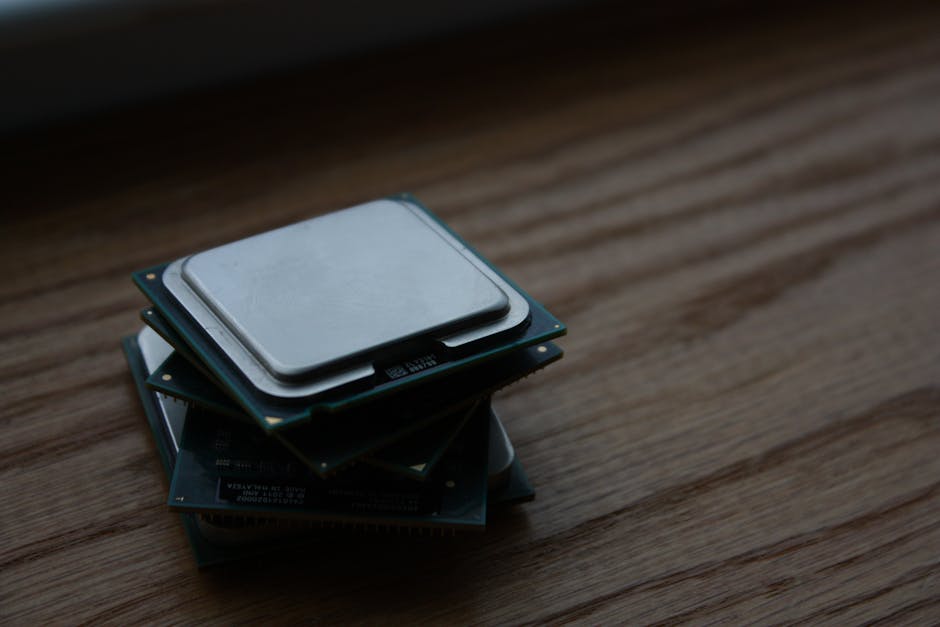
Photo by Shawn Stutzman on Pexels
The Central Processing Unit (CPU) is the "brain" of the computer. It executes instructions.
- Registers: Small, fast memory locations inside the CPU that hold data being actively processed.
- Arithmetic Logic Unit (ALU): Performs arithmetic (add, subtract) and logical (AND, OR) operations.
- Control Unit: Decodes instructions and directs other CPU components.
- Clock: Synchronizes all operations within the CPU. Each "tick" allows a specific operation to occur.
Modern CPUs often have multiple "cores" (multiple CPUs on one chip) and use techniques like pipelining and caching to speed up execution.
3. Worked Example
Let's trace how a simple instruction, ADD R1, R2, R3 (add the contents of register R2 to register R3 and store the result in R1), might execute at a high level.
- Fetch: The Control Unit retrieves the
ADDinstruction from memory. - Decode: The Control Unit interprets the instruction: "Add R2 and R3, put result in R1." It determines which registers are involved and what operation to perform.
- Execute:
- The Control Unit tells the ALU to perform an addition.
- It sends the values from R2 and R3 to the ALU.
- The ALU performs the addition.
- Write-back: The Control Unit takes the result from the ALU and stores it back into register R1.
This entire process is synchronized by the CPU's clock. Each step might take one or more clock cycles.
4. Key Takeaways
- Computer systems are built in layers of abstraction, making complex designs manageable.
- All data in a computer is fundamentally represented in binary (0s and 1s).
- The CPU uses registers, an ALU, and a Control Unit to fetch, decode, execute, and write back instructions.
- Design involves trade-offs; there's no perfect solution for all scenarios.
-
Understanding these foundations helps you write more efficient code and troubleshoot problems effectively.
-
Common Mistakes to Avoid:
- Ignoring performance implications of data representation choices (e.g., using inefficient data structures).
- Overlooking the impact of abstraction layers when debugging (e.g., blaming hardware for a software bug).
- Assuming infinite resources (memory, CPU speed) for your programs.
- Not considering the underlying hardware when optimizing code.
5. Now Try It
Think about how your name, [YOUR NAME], would be represented in binary using ASCII. Convert each letter of your first name into its 8-bit ASCII binary representation. Then, consider how a computer might store a small whole number like 42 in an 8-bit two's complement integer.
Success looks like: You'll have a string of 0s and 1s for your name and for the number 42, demonstrating your grasp of basic data representation.
Frequently asked about Foundations of Computer Systems Design
Get the full CSD curriculum
Clone the complete plan to your dashboard for unlimited AI-generated notes, practice quizzes, and a personalised revision schedule.
Create Free Account